A Capable Streaming PC or Console Setup
The Right Specs — No More, No Less
In 2026, technology has progressed to the point where you don’t need a high-end rig to start streaming, but you do need the right balance of performance and efficiency. Stick to these minimum specs to avoid bottlenecks:
CPU: At least a 6-core/12-thread processor (e.g., AMD Ryzen 5 7600X or Intel i5-14600K)
GPU: NVIDIA RTX 3060 or AMD RX 7600 as solid entry-level choices
RAM: 16GB DDR5 for smooth multitasking
Storage: 500GB SSD minimum (NVMe preferred)
These specs deliver reliable performance for 1080p streaming and most modern games.
PC Build Options: Built vs. Custom vs. Cloud
Choosing your hardware approach depends on budget, comfort with tech, and goals:
Prebuilt PCs: Fastest way to get started. Look for streaming-ready rigs from trusted manufacturers.
Custom Builds: You get more control, better value—but you’ll need tech know-how or help.
Cloud Gaming & Streaming Platforms: Options like GeForce NOW + cloud streaming tools are becoming viable for ultra-minimal setups.
Each route has advantages, but for serious beginners, a capable desktop still offers the most flexibility.
Future-Proof Combos on a Budget
If you’re investing in hardware, aim for parts that won’t feel outdated in a year. Look for:
CPUs with multi-threading and high single-core performance (important for gaming + encoding)
GPUs with AV1 hardware encoding support — this is becoming standard across platforms like YouTube and Twitch in 2026
Example budget-friendly combo:
Ryzen 5 7600X + RTX 4060
It’s entry-level now, but powerful enough to grow with your content.
Console Streamers: PS6 and Xbox Nova
Not ready for a full PC rig? Streaming from a console is simpler than ever:
PS6 and Xbox Nova support built-in streaming tools with webcam and chat overlays
Pair your console with a basic capture card if you want to integrate with PC-based overlays or software like OBS
Game-exclusive platforms (e.g., NovaLive, PSConnect) are gaining popularity, but may limit customization
Console streaming is a great launchpad—easy setup, less tech fuss, and plenty of options to grow into PC setups later if desired.
Webcam That Powers a Visual Presence
In 2026, your webcam is more than just a tool — it’s your audience’s window into your stream. A low-quality image can pull viewers out of the experience, even if your gameplay and commentary are top-tier. For beginner streamers, it’s important to balance cost with performance.
Minimum Standard: 1080p Is Out, 4K Is In
While 1080p used to be acceptable, 4K is quickly becoming mainstream in the streaming space — even for beginners. Higher resolution offers sharper detail and gives you more flexibility for cropping or adding overlays without quality loss.
1080p is now seen as the base level for webcam clarity
4K options are dropping in price and give you more creative control
Key Features to Look For
Don’t just focus on resolution. These features can dramatically improve how you appear on screen:
Autofocus for sharp detail even if you move around
Low-light correction to keep you well-lit even in dim setups
Higher frame rates (60fps) for smoother motion, especially with hand gestures or animated overlays
Budget Picks That Don’t Feel Budget
There are excellent webcams that won’t break the bank yet still deliver clean, crisp visuals. A few standouts for beginner streamers in 2026:
LogiVision C930 Ultra: Great mix of affordability and clarity with dependable autofocus
StreamPro 4K StartCam: Sharp image and wide field of view for dynamic setups
Avero VHD Compact: Built-in ring light and real-time facial enhancements for those with minimal lighting
Starting with any of these will immediately separate your stream from the noise and signal to viewers that you’re serious about quality.
Introduction
If you’ve been thinking about jumping into streaming, 2026 might just be your moment. The tech has matured, the platforms are stable, and the audience is bigger—and more loyal—than ever. You don’t need to drop thousands to get started. Sure, quality will always matter, but the tools to look and sound pro are finally within reach for everyday gamers.
Live streaming used to be intimidating. Dozens of gear choices, complicated backend setups, and painfully high startup costs scared off a lot of would-be creators. That’s changed. Today, reliable webcams, solid mics, and powerful software are accessible at entry-level prices. Combine that with plug-and-play consoles, cloud capture tools, and simplified broadcast platforms, and you’ve got the lowest barrier to entry the industry’s ever seen.
This guide breaks down the gear that matters for beginners—not the flashy stuff that’s overkill. If you want your stream to look clean, sound sharp, and run without crashes, this list is for you. Start smart, build steady, and put your energy into the things that actually grow a stream: consistency, presence, and good vibes.
Crisp Audio: Microphones and Interfaces
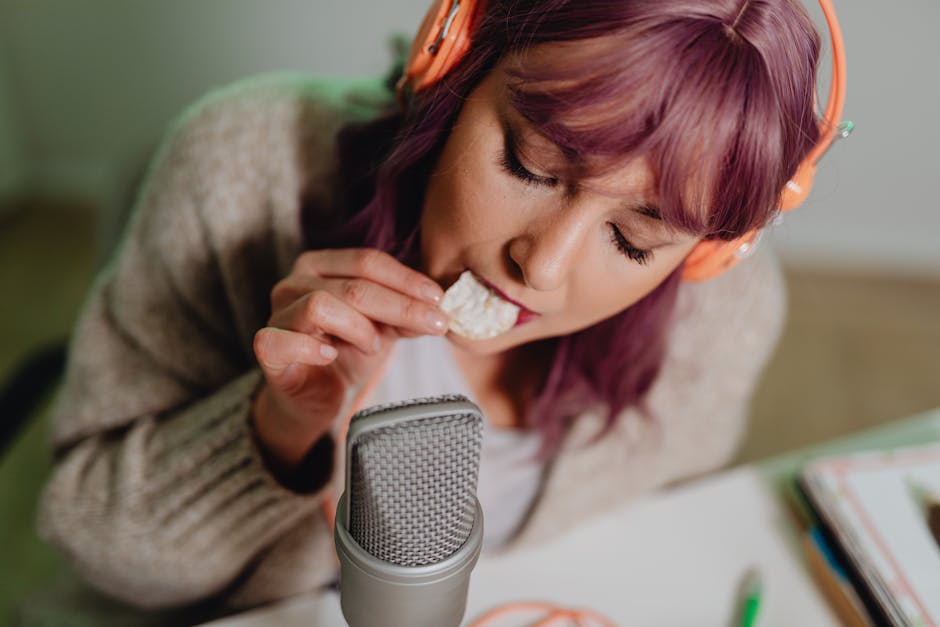
Good audio isn’t just a bonus—it’s expected. Weak sound turns viewers off fast, no matter how stunning your visuals are. For beginner streamers, the first question is usually: USB or XLR?
Here’s the deal. USB mics are plug-and-play. Easy, fast, no fuss. Perfect for solo streamers just starting out. Mics like the Samson Q2U or Blue Yeti offer solid performance without much setup. XLR mics, on the other hand, need an audio interface but deliver more depth and control. They’re overkill for most beginners but great if you’re planning to grow a serious setup.
Now, noise: Every streamer deals with it. You can stop some of it at the source with basic on-mic filters like foam covers or pop filters. Cheap, simple, effective. Want help on the back end? Software suppression in OBS or NVIDIA Broadcast can clean up light background hum. Use both, but don’t rely too heavily on post-processing—it can flatten your voice.
Add-ons? A shock mount stops your mic from picking up every desk bump. A boom arm keeps it off-camera and in the right spot. As for entry-level interfaces—look at models like the Focusrite Scarlett Solo. Good sound in, smooth control, and room to upgrade later.
Your stream might be built around gameplay—but your voice is how you connect. Invest smart.
For a deeper dive into sound and streaming gear, visit the best streaming gear
Lighting: The Underrated Upgrade
Lighting makes or breaks your camera feed. You can have a 4K webcam and still end up looking like a shadowy blob if your lighting isn’t dialed in. The easiest fix? A solid key light aimed at your face from a 45-degree angle. Even entry-level models with adjustable brightness and temperature can make skin tones pop and reduce grainy video noise.
Now, the gear debate: ring lights vs. soft boxes. Ring lights are compact, affordable, and plug-and-play. Great for tight desk setups. But soft boxes offer more diffused, natural lighting—ideal if you’ve got the space. They’re perfect for calmer aesthetics or full-room framing. If you lean toward fast-to-set-up and minimal, grab the ring light. If your stream has a chill or cinematic vibe, go soft box.
Want to level up on a budget? Add a fill light to reduce shadows on the non-key side and a small RGB backlight or LED strip to pop some color into the background. You’ll instantly look more put together—even before the gameplay starts.
OBS Studio vs. Streamlabs in 2026
Choosing your streaming software in 2026 mostly comes down to two names: OBS Studio and Streamlabs. OBS Studio is the open-source favorite—lightweight, reliable, and endlessly customizable. If you want full control and aren’t afraid to learn the ropes, it’s still the industry baseline. Streamlabs, on the other hand, offers a more polished, plug-and-play experience. Integrated overlays, alerts, donation tracking, and built-in chat management make it beginner-friendly—but heavier on system resources.
Streamlabs remains a solid choice for newcomers who want everything in one place. But keep in mind its freemium model: many premium widgets and layout packs sit behind a paywall. OBS Studio is more barebones out of the box, but there’s a rich ecosystem of free plugins and community-made templates if you’re willing to dig in.
Either way, overlays and alerts are essentials in 2026. Think clean, eye-catching displays with real-time updates for subs, donos, and chat—nothing too flashy or cluttered. Integration with tools like StreamElements or Mix It Up can help you keep your stream interactive without dragging down performance.
Adding browser sources, sponsor reels, countdown timers, and branded widgets is also simpler now with drag-and-drop overlays and preset scenes available for both platforms. Don’t just run default layouts—customization shows viewers you care. Even a basic sponsor banner or transition can make viewers take your stream more seriously.
Get more tool recommendations from our game streaming tools.
Final Tips for New Streamers
Don’t overthink it—starting lean is not just okay, it’s smart. You don’t need the studio setup from day one. Start with reliable, budget-friendly gear and upgrade as your audience grows and your content style evolves. Let your community shape your needs, not your credit card.
That said, no one sticks around for a laggy stream or distorted mic. Focus hard on tech basics: clear video, clean audio, and no dropped frames. People want to see and hear you more than they care about which brand of camera you run. High production quality makes your personality easier to connect with.
And one truth always wins: consistency beats perfection. Whether it’s three days a week or a short daily session, showing up regularly will always trump waiting until everything’s “just right.” You’re not building a show—you’re building habits and trust.
Ready to hit “Go Live”? Gear right, stream smart, and let the rest follow.